


Today Weather:Data by NOAA/NWS
4.67.35K Reviews
App Specs
- Version
- Varies with Device
- Updated On
- License
- Free
- Downloads
- 1,000,000+
- Developer
- todayweather.co
- Categories
- Weather
- Platform
- Android
Screenshots
 Analysis by AppCompare
Have you ever found yourself staring at the sky, wondering whether to pack an umbrella or slap on some sunscreen? Well, I’ve been there too, and that's when I stumbled upon Today Weather: Data by NOAA/NWS, a weather app that promises to be your trusty sidekick in navigating the unpredictable skies.
First Impressions
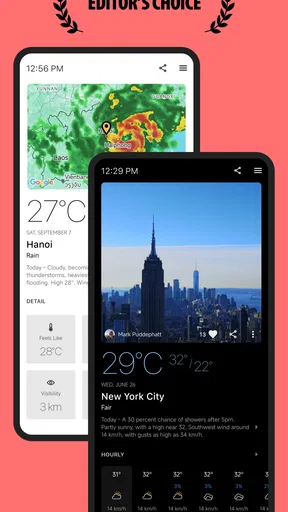
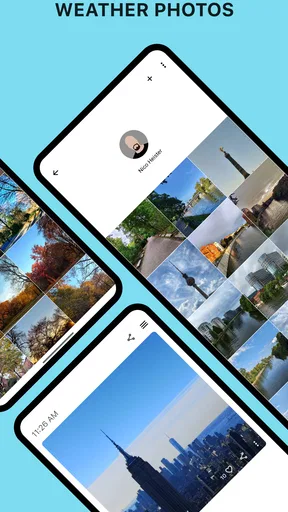
Right off the bat, Today Weather greets you with a slick and minimalistic design. It’s like the app is saying, "Hey, relax, I’ve got this weather thing under control." When you first open it, you’re welcomed by a stunning photo of your location’s current weather situation. It’s a neat touch that makes checking the weather feel a bit more personal.
The interface is intuitive. There’s no need to dig through endless menus to find what you need. Everything is laid out in a way that makes sense, even if you’re still half asleep in the morning, trying to figure out if you need a jacket.
Features That Shine
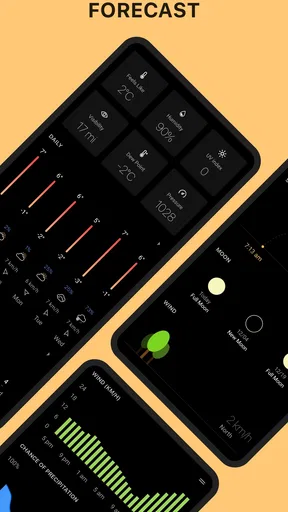
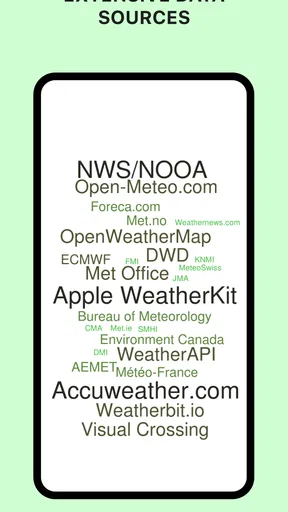
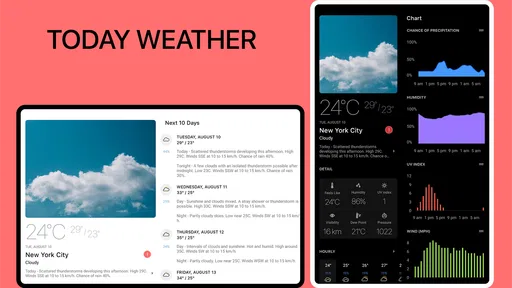
Now, let’s talk about the real meat and potatoes of this app: its features. Today Weather pulls in data from the NOAA/NWS, which means you’re getting super reliable information. It’s like having a weather scientist in your pocket. The app offers detailed forecasts, including temperature, humidity, and wind speed. You can even get notifications about severe weather, which is a lifesaver if you live in an area prone to sudden storms.
One feature I found particularly cool is the air quality index. In today’s world, knowing the air quality can be just as important as knowing the weather, especially for those of us living in urban areas. The app provides this information in an easy-to-understand format.
Usability and Navigation
Getting around the app is a breeze. There are no clunky transitions or laggy screens. Whether you’re swiping through hourly forecasts or scrolling down to check the weekend weather, everything runs smoothly. The developers have done a stellar job ensuring that Today Weather isn’t just easy on the eyes but also easy to use.
If you’re someone who likes to plan ahead, the app’s extended forecast is your best friend. You can get a sneak peek of the weather for the next seven days. This feature is fantastic for planning weekend trips or deciding which day is best for a picnic.
Worth Reading Before You Choose

EA SPORTS FC Mobile 26 Is a Bigger Football Game, but It Takes Time

Flipboard Shows What News Apps Must Do Beyond the Feed

Switching to Android Auto Means Rethinking Your Driving Routine

Google Calendar Makes a Crowded Week Easier to Manage

Ludo King Makes the Most of the Minutes Between Plans

Baby Panda World Brings Quick Play to Modern Phones, but Its Game Library Feels Busy
Customization Options
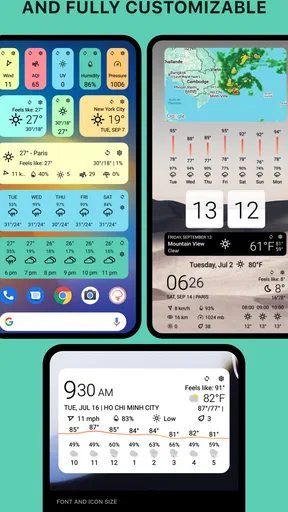
I’m a sucker for apps that let you tweak things to suit your style, and Today Weather doesn’t disappoint. You can choose from various theme colors to match your vibe. Plus, there’s a dark mode, which is a blessing for late-night weather checks.
Another nifty feature is the ability to add multiple locations. For those of us who like to keep tabs on the weather in other cities—maybe where family lives or a favorite vacation spot—this is super handy.
Working Through Setup Hiccups
The first useful check is simply making sure the forecast is for the place you mean. A weather app can look polished and still be unhelpful if it opens on an old saved city or the wrong location. I’d confirm the displayed place before relying on a notification, especially after travelling or changing which city I’m watching.
If a location does not appear as expected, I would try searching for the city directly and selecting the intended result rather than assuming the app has identified my position correctly. Location names can be shared by different towns, so checking the place label is a small habit that prevents a surprisingly common mistake.
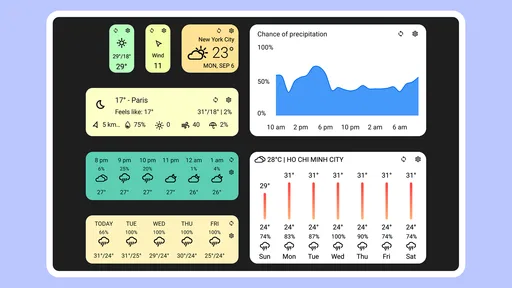
Widgets take a little thought, too. The app is promoted with customizable widgets, but a widget is only useful when it shows the right place and enough information for a quick glance. I’d start with one on the home screen, check its location and presentation, then adjust the layout rather than adding several at once. That makes it easier to tell whether a problem comes from the widget choice or the forecast itself.
A Forecast That Fits the Day
My practical routine would be to use the hourly view for decisions happening soon and the longer outlook for rough planning, not to treat every forecast as a promise. For example, before leaving for a walk, I’d check how conditions are expected to change over the next few hours; for a picnic later in the week, I’d use the extended forecast to compare days, then check again closer to the outing.
That distinction matters because a seven-day outlook is useful for spotting broad patterns, but it is less helpful for choosing an exact time far ahead. If the forecast suggests unsettled weather, I’d keep plans flexible instead of deciding that a particular hour is guaranteed to stay dry. This is a sensible way to get value from the forecast without asking any weather app to be more certain than the situation allows.
On a regular workday, I might check the hourly conditions before commuting, glance at the wind before cycling, and look at the severe-weather alerts when storms are possible. Those are different questions, and the app’s mix of forecast details, alerts, and radar can help me answer them without opening several separate screens. I would still use official local guidance for urgent safety decisions rather than relying on a phone notification alone.
Radar, Alerts, and Everyday Trade-Offs
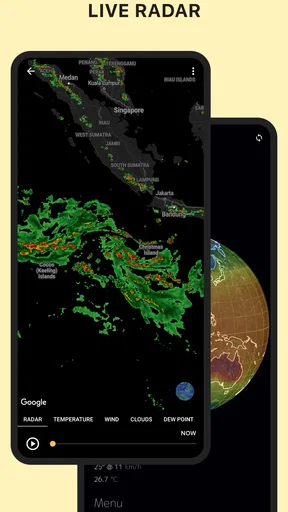
Radar is most useful to me when I want to understand whether rain is nearby and how the immediate picture is changing. It is less useful as a precise guarantee that a particular street will stay dry. I’d read it as a visual aid alongside the forecast, not as a substitute for checking conditions outside or allowing extra time when the weather looks unsettled.
Warnings solve a different problem: they draw attention to potentially hazardous conditions that could otherwise be missed during a busy day. I’d keep them enabled if severe weather is relevant where I live, but I would not expect an alert to replace paying attention to local instructions. If a notification seems late or does not arrive, I’d open the app and check the current warning information directly before assuming there is no risk.
The NOAA/NWS connection is a meaningful part of the app’s identity, but it also makes location relevant. People outside the areas well served by that source should pay attention to whether the forecasts and warnings suit where they live. If another weather service gives more useful local coverage for your region, that may be the better everyday choice, even if you prefer Today Weather’s presentation.
When a Screen or Forecast Seems Wrong
If information looks stale, I would first refresh my understanding of the situation: check the selected city, compare the hourly and daily views, and reopen the app after a short interval. A single screen can be confusing when the forecast is changing, and a mismatch between a saved location and the place I am standing can look like a forecast error.
For a widget that does not seem to reflect a change, I’d open the app itself and see whether its main forecast is current before changing settings. If the app shows the expected information but the home-screen view does not, removing and adding that widget again is a reasonable general troubleshooting step. If the main app also appears outdated, checking the connection and trying again later is more useful than repeatedly changing the theme or rearranging the screen.
There are limits to what troubleshooting can fix. Weather conditions evolve, and different sources or forecast periods may not line up exactly. When the sky outside disagrees with a broad outlook, I trust immediate observations for a near-term choice and treat the forecast as guidance. That is especially important for travel, outdoor work, or plans where a sudden change would matter.
Who Will Get the Most from It
I think this app suits someone who checks the weather often but does not want a complicated control panel: commuters, people planning outdoor errands, and anyone keeping an eye on family or travel destinations. Air-quality information adds another useful angle for people who want to consider conditions beyond rain and temperature. The multiple-location option is particularly practical when your day involves more than one city.
It may be less appealing if you only want a bare temperature number and never use alerts, radar, widgets, or extra forecast detail. A simpler built-in weather app may be quicker for that kind of occasional glance. Likewise, if the NOAA/NWS source is not a good fit for your region, I would compare local alternatives before making this my only weather reference.
Today Weather is a free weather app from todayweather.co, with optional in-app purchases ranging from $0.99 to $18.99 per item. It has a 4.6 average from around 102,000 ratings, and more than a million installs. The Everyone age rating makes it broadly accessible, while the optional purchases mean I’d check what a paid item offers before buying rather than assuming every feature is included at no cost.
Final Thoughts
So, after a week of using Today Weather: Data by NOAA/NWS, I can confidently say it’s become my go-to weather app. It combines aesthetics with functionality in a way that makes weather-checking less of a chore and more of a delightful routine.
In a world where we’re constantly juggling a million things, having a reliable weather app is a small but significant win. Whether you’re a weather enthusiast or just someone who hates getting caught in the rain, Today Weather is worth a download. Trust me, it’s like having a little slice of meteorological heaven right on your phone.
And hey, who doesn’t love being prepared? So, go ahead, give it a try, and let the weather surprises be a thing of the past!
Pros
- Clean
- intuitive user interface
- Accurate and reliable forecasts
- Minimal ads enhance experience
- Customizable weather alerts
- Supports multiple locations
Cons
- Limited free features
- Occasional app crashes
- Ads in free version
- No radar map in free tier
- Slow updates on older devices
FAQs for Today Weather:Data by NOAA/NWS
What features does Today Weather offer?
Today Weather provides real-time weather data sourced from NOAA/NWS. It offers detailed forecasts, including temperature, humidity, wind speed, and air quality index. Users can also access radar maps, weather alerts, and sunrise/sunset times. The app supports multiple locations, allowing users to track weather conditions in different areas.
How accurate is the weather data from Today Weather?
Today Weather sources its data from NOAA/NWS, a trusted and reliable authority in meteorology. This ensures high accuracy in weather forecasts and alerts. Users have reported satisfaction with the app’s precision in predicting local weather conditions, making it a dependable tool for daily planning.
Is Today Weather user-friendly?
Yes, Today Weather is designed with a clean and intuitive interface, making it easy for users to navigate. The app’s layout is straightforward, with easily accessible features and settings. Whether you are a tech-savvy individual or not, you will find it simple to use and customize the app to your preferences.
Does Today Weather have any subscription fees?
Today Weather offers both free and premium versions. The free version includes basic features, while the premium version provides additional functionalities such as ad-free experience, advanced radar maps, and detailed weather alerts. Subscription fees for the premium version are reasonable, offering good value for the added features.
Can Today Weather be used offline?
While Today Weather requires an internet connection for real-time updates and radar map access, it does store some recent data for offline viewing. Users can view previously downloaded forecasts and basic weather information when offline, but for the most accurate and up-to-date data, an internet connection is recommended.


